


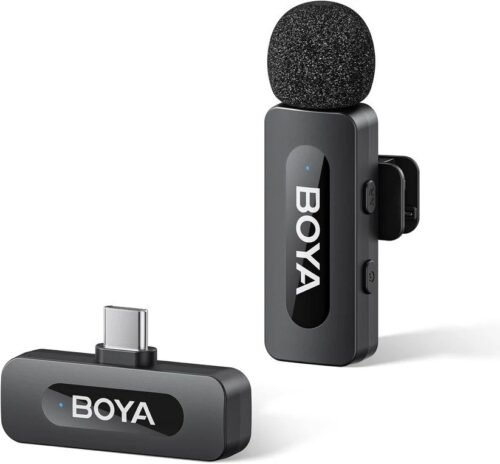
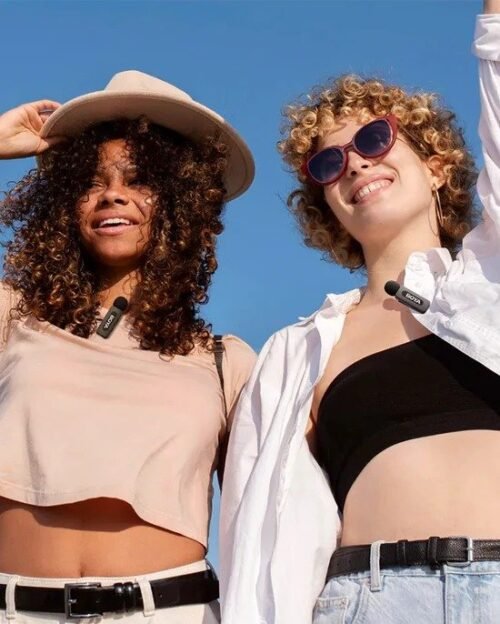





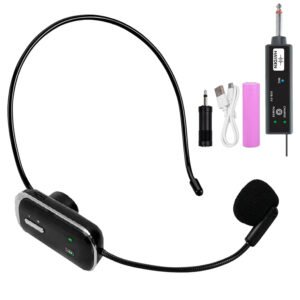
Clear voice on your phone videos, without cables. The Boya BY-V10 is a wireless clip-on microphone system with one transmitter and one USB-C receiver. Plug the receiver into your Android phone (or iPhone 15/16, iPad or laptop with USB-C), clip the mic on, and record – it is made for vloggers, reels, interviews and live streams.
Why customers choose it
Who it is for
YouTubers and Instagram creators, teachers recording classes, journalists and interviewers, sellers doing live shopping streams, and anyone who wants better sound than the phone’s own mic.
What’s in the box
- 1 x Boya BY-V10 transmitter
- 1 x RXU receiver (USB-C)
- 1 x Foam windscreen
- 1 x USB-A to USB-C charging cable
- 1 x Carrying bag
Specifications
| System | 1 transmitter + 1 receiver (USB-C) |
|---|---|
| Polar pattern | Omnidirectional |
| Frequency response | 20 Hz – 16 kHz |
| Signal-to-noise ratio | 80 dB |
| Max SPL | 120 dB |
| Sample rate / bit depth | 48 kHz / 16-bit |
| Output | Mono |
| Latency | 25 ms |
| Range | Up to 100 m (V2.0) |
| Battery life | About 9 hours (transmitter) |
| Receiver power | From the connected phone / device |
| Transmitter size | 51.3 × 18.3 × 10.2 mm |
| Transmitter weight | 10.5 g |
| Colour | Black |
| Type | Wireless lavalier microphone system |
| Connectivity | USB-C receiver |
Good to know
- Turn on the OTG setting on your Android phone before use.
- On iPhone, keep the phone unlocked with the recording app open so the receiver gets power.
- Recording volume is not adjustable on the mic – use noise reduction mode and change the mic-to-mouth distance instead.
- For two people on camera, look at the BY-V20 (two transmitters).
FAQ
Will it work with my iPhone?
It works with USB-C iPhones (iPhone 15 and 16 series). It does not fit older Lightning iPhones.
How do I turn on noise cancellation?
With the transmitter on, short-press the NR button. The light turns green when noise reduction is on.



 Talk to Suhavi
Reviews
There are no reviews yet.