


-5%

Sonarworks SoundID Reference Plug-in for Headphones and Monitor Correction Add-on for Apollo X Interfaces SW5HD-APOLLO

Brand:  Sonarworks
SKU: SM-4811

Product Highlights

At Suhavimart, we often say, “If you can’t hear it, you can’t mix it.” This conundrum certainly doesn’t apply to Sonarworks SoundID Reference, an intelligent software that calibrates your headphones to ensure consistent, accurate monitoring in an endless array of production environments. SoundID Reference works by applying a calibration profile to your headphones, supplying you with a ruler-flat response across all audible frequencies. The software is a breeze to deploy — it’s 280 ready-to-use headphone profiles make calibration instantaneous and effortless. You can also audition your mixes on more than 20 different simulated devices without leaving your workstation. Think of SoundID Reference as insurance for mix translation. With it in your tool kit, you can be confident that your mixes will sound as good as gold everywhere.

Original price was: ₹16,220.Current price is: ₹15,400.

In stock

Estimated delivery dates: Apr 20, 2026 - Apr 24, 2026

In stock

Achieve ultra-accurate monitoring — effortlessly

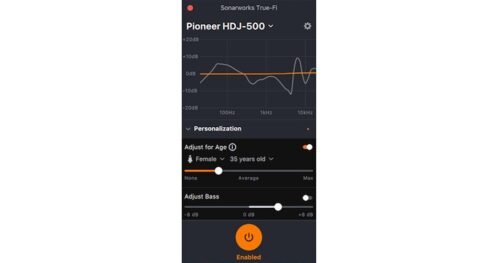
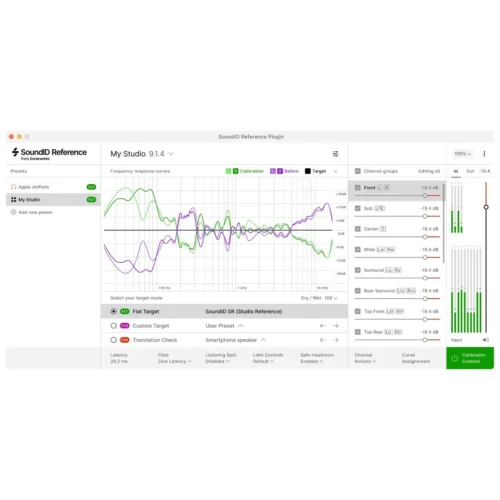
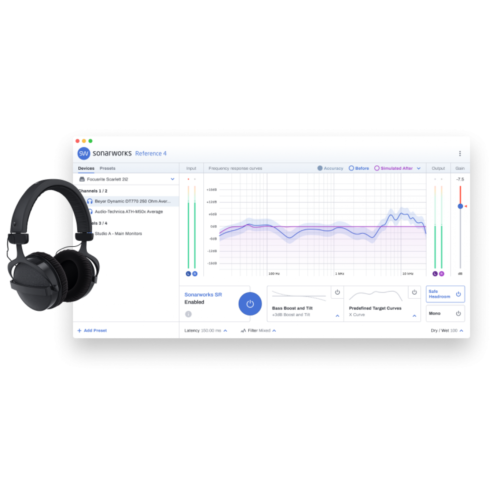
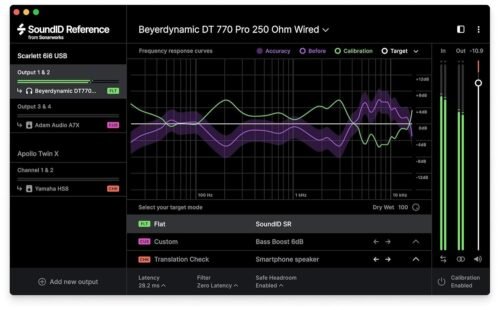
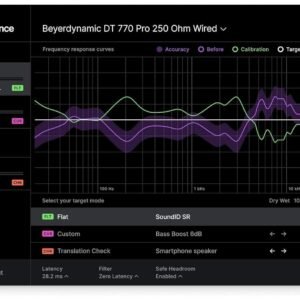
Calibrating your headphones with SoundID Reference is a piece of cake. Just fire up the software, load up one of its more than 280 ready-to-use headphone calibration profiles, and you’re good to go. SoundID Reference’s calibration profiles create a target frequency response that’s flat across all audible frequencies. It’s almost like you’re listening on a neutral-sounding set of top-of-the-line speakers.

Overflowing with pro-level features

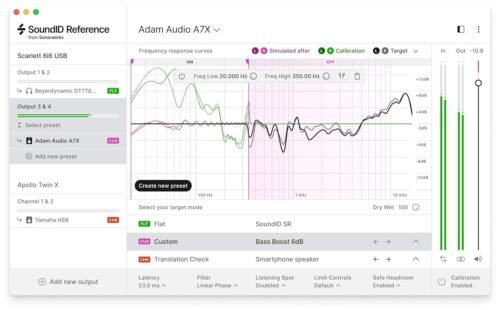
Sonarworks SoundID Reference is packed with an astounding number of pro-requested features. For starters, the software includes both DAW plug-in and standalone desktop application components. You get three filter modes: zero latency, mixed, and linear phase, along with extra DSP processing controls, including mono, dry/wet, and safe headroom. SoundID Reference’s Translation Check feature alone is worth the software’s price of admission, enabling you to audition your mixes on more than 20 different simulated devices. The SoundID Reference application includes MIDI mapping for various parameters, as well as user presets for switching between predefined output devices/channel pair combinations.

The need to “Apollo-gize”

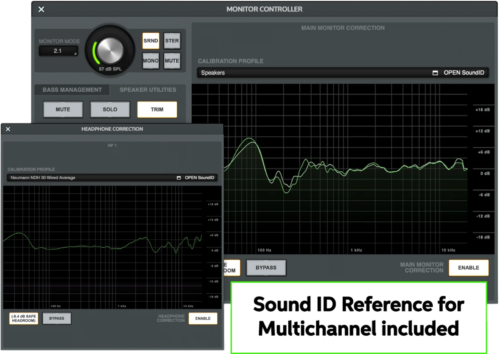
With your purchase of the Sound ID Monitor Correction Add-on, here are some of the benefits you’ll receive:

  • Near-zero latency with no CPU needed to run the plug-in
  • No longer need to disable SoundID before bouncing a mix!
  • Can calibrate for multiple speakers and headphones at the same time without a computer
  • No need for the software unless updating or making profile changes
  • Can apply correction profiles in real-time for both stereo and multichannel setups
  • “Set and forget” reference listening environment
  • Improved collaborations with your talent

Compatible with the following UA Apollo interfaces:

  • Apollo Twin X Duo
  • Apollo Twin X Quad
  • Apollo Twin X USB
  • Apollo x4
  • Apollo x6
  • Apollo x8
  • Apollo x8p
  • Apollo x16
  • Apollo Twin X Duo Gen 2
  • Apollo Twin X Quad Gen 2
  • Apollo x4 Gen 2
  • Apollo x6 Gen 2
  • Apollo x8 Gen 2
  • Apollo x8p Gen 2
  • Apollo x16 Gen 2
  • Apollo x16D

Sonarworks SoundID Reference Features:

  • Calibrates your headphones to ensure consistent, accurate monitoring
  • Delivers a ruler-flat response across all audible frequencies
  • 280 ready-to-use headphone profiles for instant calibration
  • Audition your mixes on more than 20 different simulated devices without leaving your workstation
  • 3 filter modes: zero latency, mixed, and linear phase
  • Extra DSP processing controls: mono, dry/wet, and safe headroom
  • MIDI mapping for various parameters
  • User presets for switching between predefined output devices/channel pair combinations
  • Includes both DAW plug-in and standalone desktop application components
  • Runs on the DSP of compatible Apollo X interfaces instead of running on your system for near-zero latency operation

Achieving accurate sound reproduction is essential for music producers, audio engineers, and content creators who demand precision in their mixes. However, the inherent frequency response variations in headphones and studio monitors often lead to misleading audio, resulting in mixes that don’t translate well across different playback systems. The Sonarworks Sound ID Reference Plug-in for Headphones and Monitor Correction, designed as an add-on for Apollo X interfaces, addresses this challenge by delivering calibrated, neutral sound tailored specifically to your headphones and monitors, ensuring that what you hear is true to the original recording.

At its core, the Sound ID Reference Plug-in applies precise calibration profiles to your headphones and studio monitors, effectively correcting their frequency response irregularities. This means that instead of your ears being tricked by coloration or exaggerated frequencies, you experience a flat, neutral sound stage. For the customer, this translates into mixes that are consistent and reliable, reducing the guesswork and the need for multiple playback checks on different devices. With this level of accuracy, you can confidently finalize tracks knowing they will sound balanced whether on headphones, car stereos, or consumer speakers.

The plug-in supports industry-standard formats including AAX, AU, and VST in 64-bit architecture, making it compatible with most major digital audio workstations on both Mac and PC platforms. This compatibility ensures seamless integration into your existing workflow without the need for hardware modifications or additional software layers. Beyond plug-in functionality, the software utilizes advanced measurement data for your specific headphones and monitors, creating a personalized correction profile rather than relying on generic presets. For professionals, this means a tailored listening experience that matches the unique characteristics of their audio equipment.

System requirements are straightforward and designed to accommodate a wide range of setups. On Mac, an Intel Core 2 Duo processor or higher with at least 4 GB of RAM running macOS 10.14 or later is sufficient, while Windows users need an Intel Core 2 Duo or AMD Athlon 64 X2 processor or better with 4 GB RAM and Windows 10 or newer. These modest specifications ensure that even mid-range workstations can harness the power of the Sound ID Reference Plug-in without compromising performance. The software is delivered as a download, allowing for quick installation and immediate use without waiting for physical shipping.

In practical terms, this plug-in is ideal for anyone using Apollo X interfaces who wants to elevate their mixing and mastering accuracy. Whether you’re working in a professional studio environment or a home setup, applying this correction layer helps you avoid common pitfalls like bass buildup, harsh highs, or muffled mids that often arise from uncalibrated headphone or monitor sound signatures. It is particularly useful for sound engineers who need to produce mixes that translate well across different listening environments, ensuring client satisfaction and reducing costly revisions.

Priced competitively at ₹15,409 during sale periods, down from its regular price of ₹16,220, the Sonarworks Sound ID Reference Plug-in offers substantial value for a professional-grade calibration solution. Investing in this software enhances your ability to produce more accurate mixes, saving time and improving the quality of your productions. By incorporating this plug-in into your audio chain, you gain a powerful tool that brings confidence and clarity to your critical listening sessions.

In summary, the Sonarworks Sound ID Reference Plug-in for Headphones and Monitor Correction is an indispensable addition for professionals seeking to eliminate the guesswork of audio monitoring. Its precise calibration capabilities, broad compatibility, and ease of use combine to provide a reliable foundation for mixing and mastering. With this plug-in, you can trust that your audio decisions are informed by accurate sound, leading to better mixes and a more efficient production process.

Tags: , ,
Software Type:

Sound Calibration Software

Platform:

Mac, PC

Upgrade/Full:

Full

Download/Boxed:

Download

Format:

AAX, AU, VST

Bit Depth:

64-bit

Hardware Requirements - Mac:

Intel Core 2 Duo or higher, 4GB RAM minimum

Hardware Requirements - PC:

Intel Core 2 Duo / AMD Athlon 64 X2 or higher, 4GB RAM minimum

OS Requirements - Mac:

macOS 10.14 or later

OS Requirements - PC:

Windows 10 or later