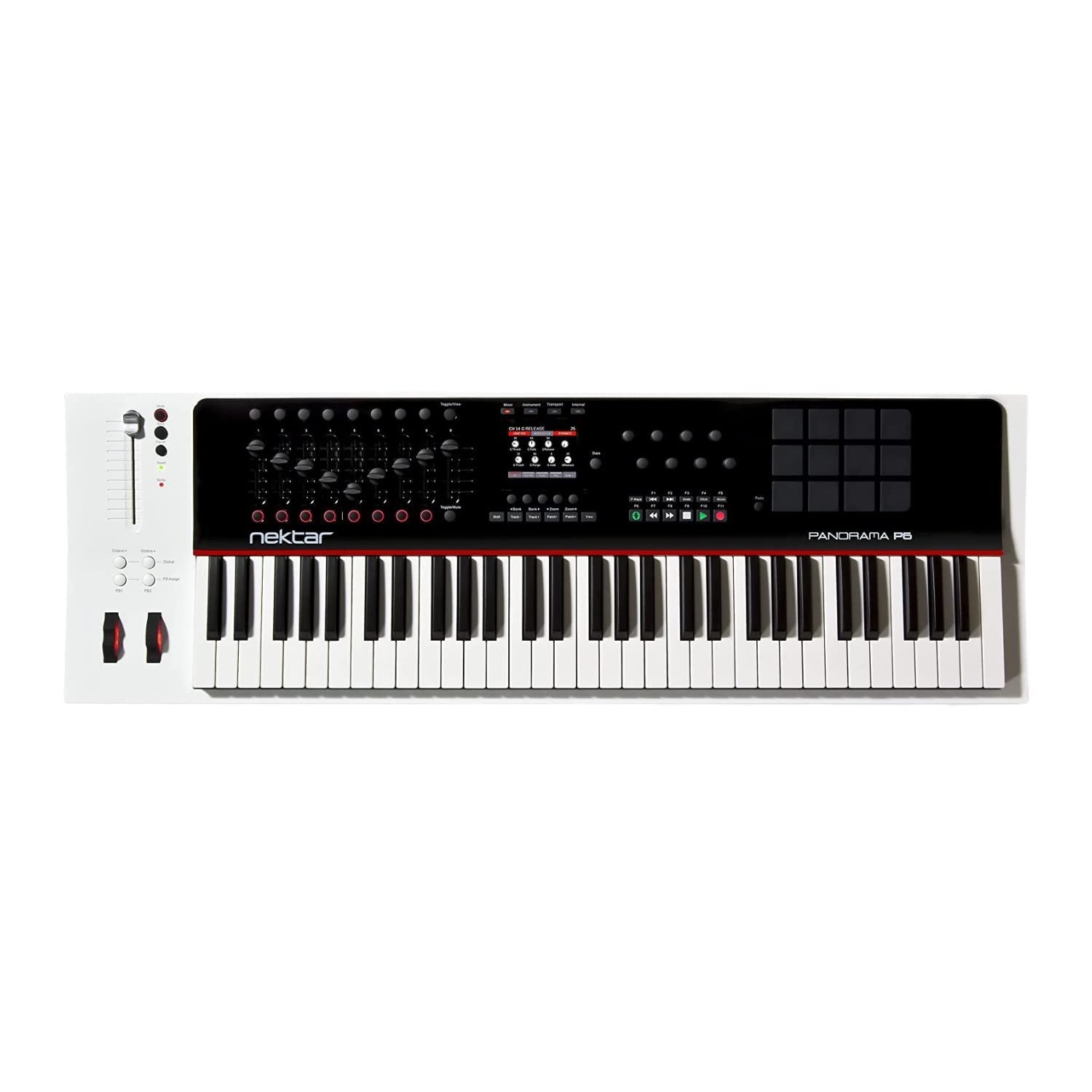
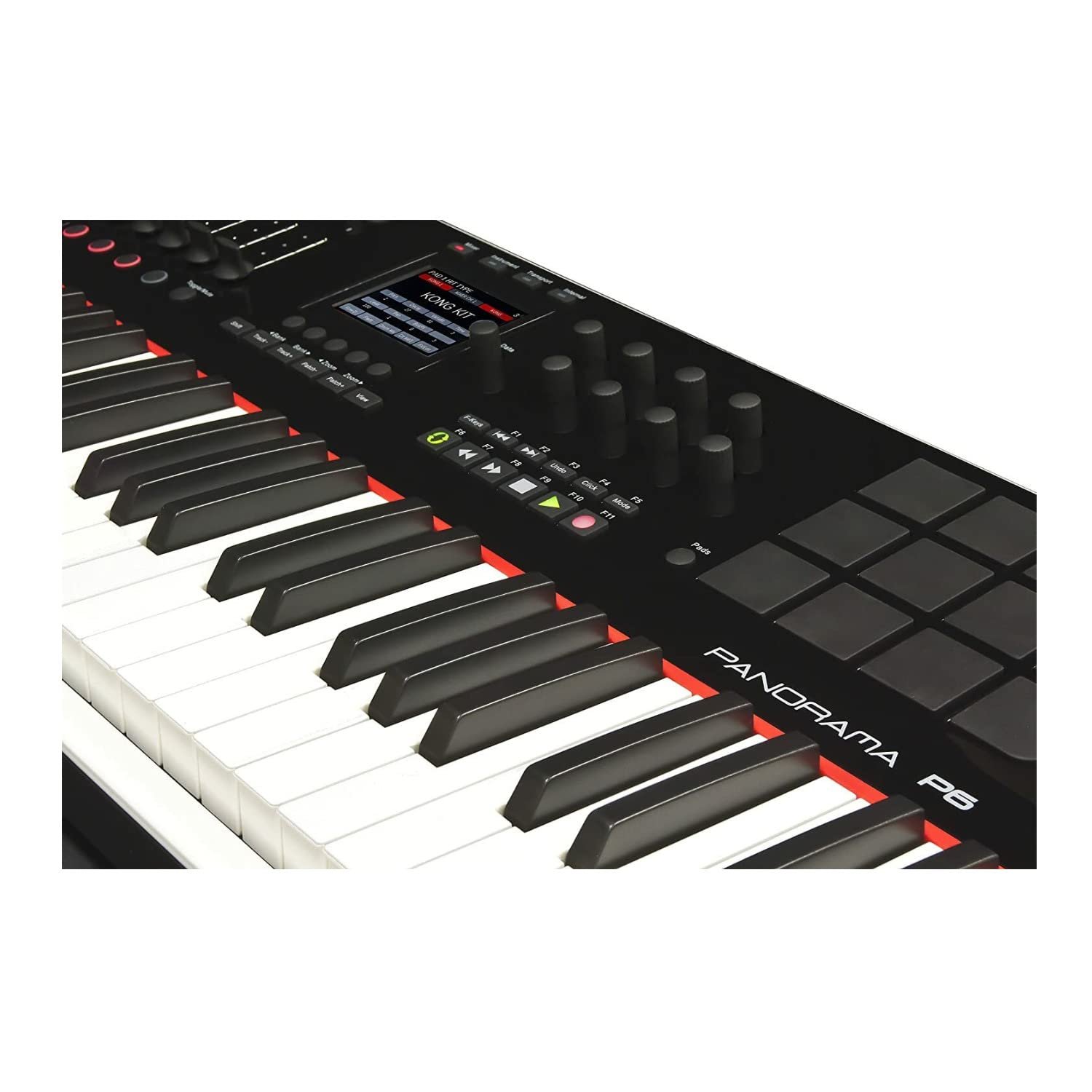
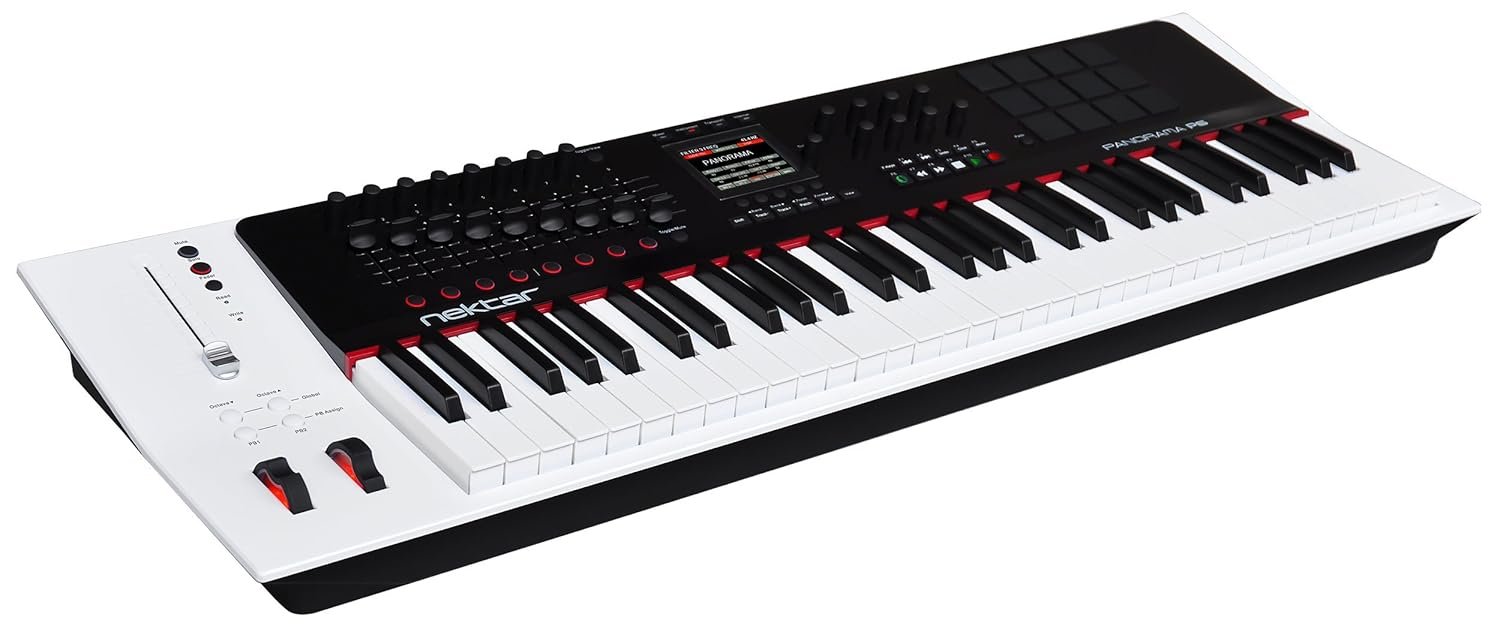
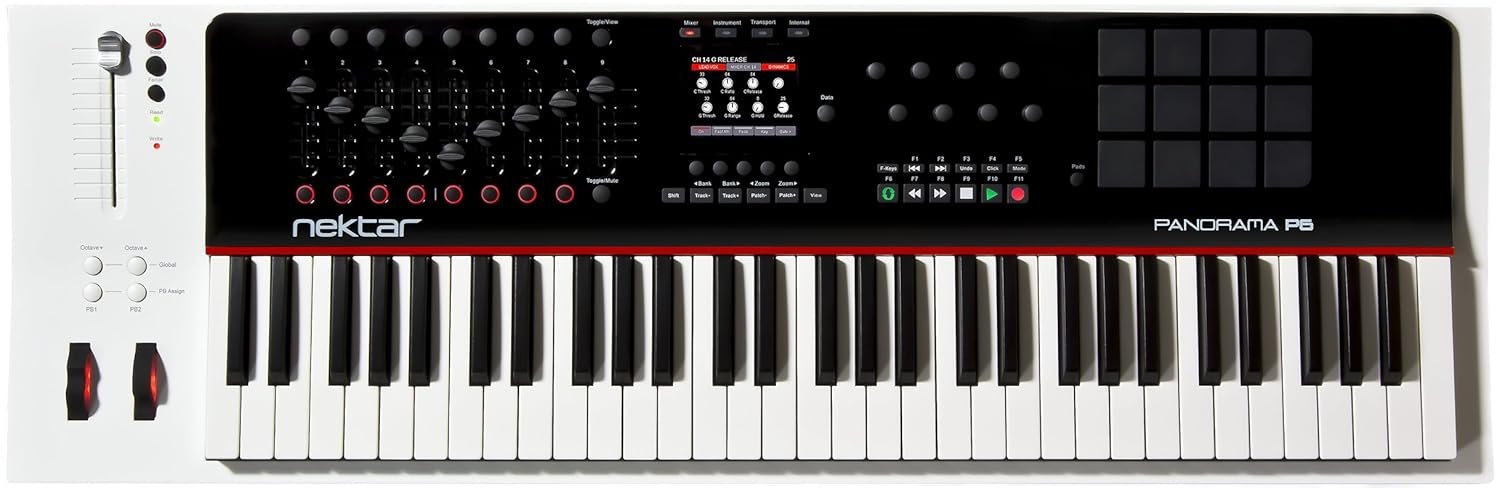
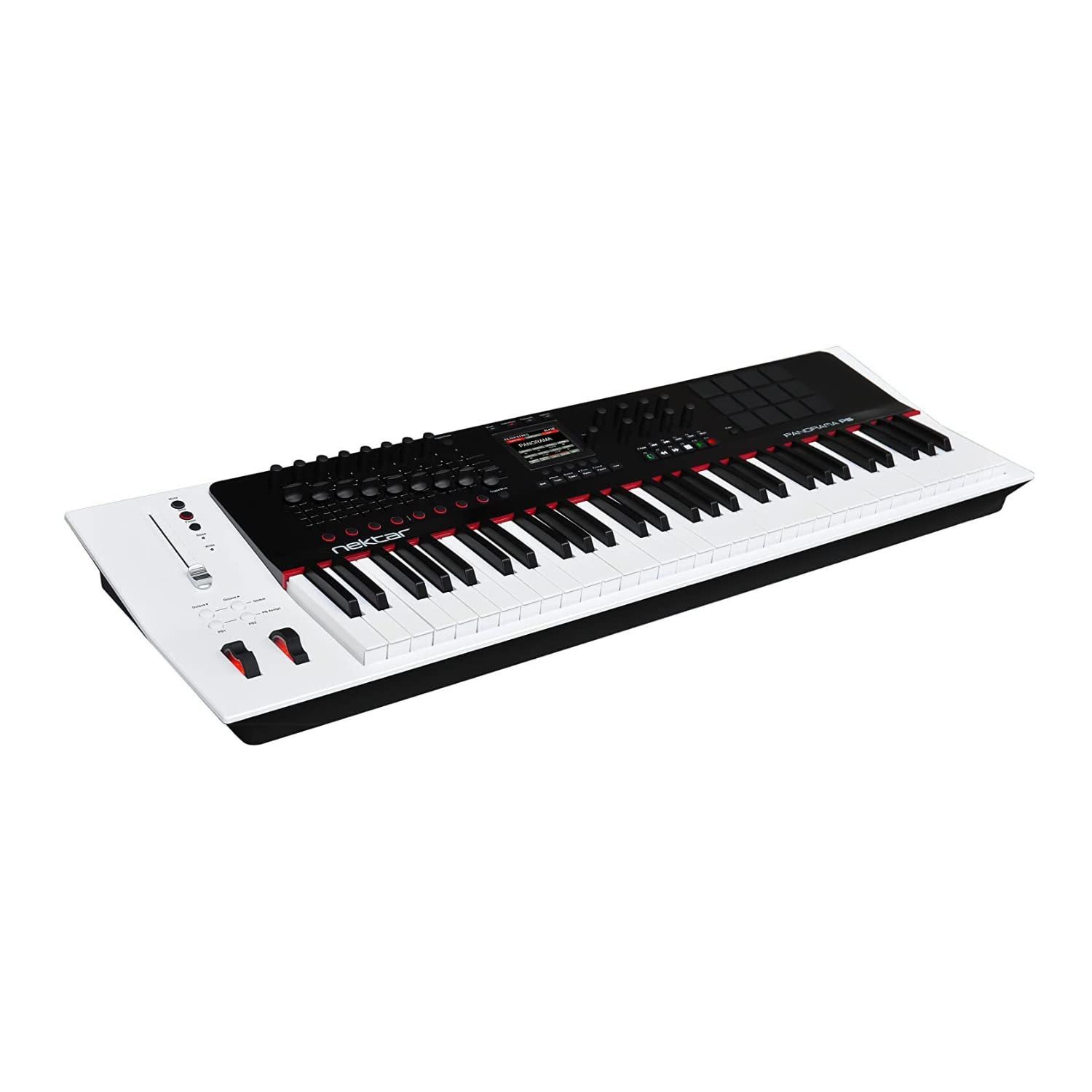
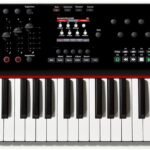
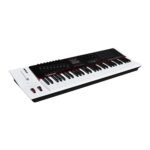
For musicians, producers, and composers who demand precision, expressiveness, and versatility in their music production setup, the Nektar Panorama P6 61-key MIDI Controller Keyboard offers a powerful solution that seamlessly integrates with your creative workflow. Whether you’re sketching melodies, programming beats, or performing live, this controller is designed to elevate your musical expression while providing the tactile control and portability you need to work anywhere.
Traditional MIDI controllers often fall short when it comes to combining portability with professional-grade features. The Panorama P6 addresses this by offering 61 velocity-sensitive keys that respond dynamically to your playing intensity, allowing you to infuse your music with nuanced emotion. This means every note you play can convey subtle variations in volume and attack, replicating the feel of an acoustic piano and enabling more expressive performances. The velocity sensitivity ensures your compositions have a natural flow, making your digital productions sound less mechanical and more human.
Connectivity is crucial in today’s digital music environment, and the Panorama P6 excels with its USB interface, providing a straightforward plug-and-play setup. This allows you to connect directly to your computer or compatible devices without the need for additional power supplies or complex configurations. The USB connectivity also facilitates seamless integration with popular digital audio workstations (DAWs), enabling deep control over software parameters and streamlining your production process. This means you can focus on creativity rather than technical hurdles.
Portability is a standout feature of the Panorama P6. Weighing just a few kilograms and featuring a compact design, it fits easily into a gig bag or backpack, making it ideal for musicians on the move. Whether you’re traveling between studios, performing live gigs, or composing in a café, this lightweight keyboard ensures that you never have to compromise on quality or functionality. The ability to take your music anywhere without sacrificing key features makes it an indispensable tool for modern creatives.
The Panorama P6 comes with a range of controls that enhance your workflow, including assignable buttons, knobs, and a pitch bend/modulation wheel, providing immediate access to critical parameters within your software. This hands-on control means you can tweak sounds, adjust effects, and navigate your DAW without reaching for the mouse or keyboard, keeping your creative momentum uninterrupted. The tactile interface encourages experimentation and spontaneity, which can lead to unexpected and inspiring musical ideas.
In terms of specifications, the keyboard features 61 full-sized keys that are velocity sensitive to capture the dynamics of your playing. Its USB connectivity supports both MIDI and power over a single cable, simplifying your setup. The controller is compatible with most major DAWs, ensuring broad usability. Priced at ₹59,990, down from the regular ₹66,900, it offers excellent value for a professional-grade MIDI controller that combines portability, expressive playability, and advanced control features.
Whether you are a bedroom producer looking to expand your sonic palette, a live performer who needs a reliable and expressive controller, or a composer seeking a portable instrument that doesn’t compromise on feel, the Nektar Panorama P6 61-key MIDI Controller Keyboard is crafted to meet your needs. Its blend of expressive keys, comprehensive controls, and easy connectivity makes it a versatile centerpiece for any music production setup. Invest in the Panorama P6 and experience how a well-designed MIDI controller can transform your creative process and elevate your music to the next level with confidence.
Is the Nektar Panorama P6 compatible with popular DAWs like Ableton Live and FL Studio?
Yes, the Panorama P6 is designed for seamless integration with most major DAWs including Ableton Live, FL Studio, Logic Pro, and others. Its USB connectivity provides plug-and-play functionality, allowing deep control over your software parameters without extra drivers.
What are the dimensions and weight of the Panorama P6? Will it fit in a standard gig bag?
The Panorama P6 features a compact and lightweight design, weighing just a few kilograms, making it easy to carry. It comfortably fits into most standard gig bags or backpacks, ideal for musicians who travel or perform live.
Does this MIDI controller require an external power supply, or is it powered via USB?
The Nektar Panorama P6 is powered directly through its USB connection, so no external power supply is needed. Just connect it to your computer or compatible device using the included USB cable, and you’re ready to start playing.
What controls are available on the Panorama P6 besides the keys?
Along with the 61 velocity-sensitive keys, the Panorama P6 includes assignable buttons, knobs, and a pitch bend/modulation wheel. These controls provide hands-on access to important software parameters, helping you tweak sounds and effects on the fly.
How should I care for the Nektar Panorama P6 to ensure it lasts?
To keep your Panorama P6 in top condition, avoid exposing it to extreme temperatures or moisture. Clean the keys and controls gently with a soft, dry cloth. When transporting, use a padded gig bag to protect it from bumps and dust.
What is the estimated shipping time and cost for the Panorama P6?
Shipping times vary by location but typically range from 3 to 7 business days within India. Shipping costs are calculated at checkout and may vary based on your address. We package the controller securely to ensure it arrives safely and on time.
Is the Nektar Panorama P6 compatible with popular DAWs like Ableton Live and FL Studio?
Yes, the Panorama P6 is designed for seamless integration with most major DAWs including Ableton Live, FL Studio, Logic Pro, and others. Its USB connectivity provides plug-and-play functionality, allowing deep control over your software parameters without extra drivers.
What are the dimensions and weight of the Panorama P6? Will it fit in a standard gig bag?
The Panorama P6 features a compact and lightweight design, weighing just a few kilograms, making it easy to carry. It comfortably fits into most standard gig bags or backpacks, ideal for musicians who travel or perform live.
Does this MIDI controller require an external power supply, or is it powered via USB?
The Nektar Panorama P6 is powered directly through its USB connection, so no external power supply is needed. Just connect it to your computer or compatible device using the included USB cable, and you’re ready to start playing.
What controls are available on the Panorama P6 besides the keys?
Along with the 61 velocity-sensitive keys, the Panorama P6 includes assignable buttons, knobs, and a pitch bend/modulation wheel. These controls provide hands-on access to important software parameters, helping you tweak sounds and effects on the fly.
How should I care for the Nektar Panorama P6 to ensure it lasts?
To keep your Panorama P6 in top condition, avoid exposing it to extreme temperatures or moisture. Clean the keys and controls gently with a soft, dry cloth. When transporting, use a padded gig bag to protect it from bumps and dust.
What is the estimated shipping time and cost for the Panorama P6?
Shipping times vary by location but typically range from 3 to 7 business days within India. Shipping costs are calculated at checkout and may vary based on your address. We package the controller securely to ensure it arrives safely and on time.
Is the Nektar Panorama P6 compatible with popular DAWs like Ableton Live and FL Studio?
Yes, the Panorama P6 is designed for seamless integration with most major DAWs including Ableton Live, FL Studio, Logic Pro, and others. Its USB connectivity provides plug-and-play functionality, allowing deep control over your software parameters without extra drivers.
What are the dimensions and weight of the Panorama P6? Will it fit in a standard gig bag?
The Panorama P6 features a compact and lightweight design, weighing just a few kilograms, making it easy to carry. It comfortably fits into most standard gig bags or backpacks, ideal for musicians who travel or perform live.
Does this MIDI controller require an external power supply, or is it powered via USB?
The Nektar Panorama P6 is powered directly through its USB connection, so no external power supply is needed. Just connect it to your computer or compatible device using the included USB cable, and you’re ready to start playing.
What controls are available on the Panorama P6 besides the keys?
Along with the 61 velocity-sensitive keys, the Panorama P6 includes assignable buttons, knobs, and a pitch bend/modulation wheel. These controls provide hands-on access to important software parameters, helping you tweak sounds and effects on the fly.
How should I care for the Nektar Panorama P6 to ensure it lasts?
To keep your Panorama P6 in top condition, avoid exposing it to extreme temperatures or moisture. Clean the keys and controls gently with a soft, dry cloth. When transporting, use a padded gig bag to protect it from bumps and dust.
What is the estimated shipping time and cost for the Panorama P6?
Shipping times vary by location but typically range from 3 to 7 business days within India. Shipping costs are calculated at checkout and may vary based on your address. We package the controller securely to ensure it arrives safely and on time.
Is the Nektar Panorama P6 compatible with popular DAWs like Ableton Live and FL Studio?
Yes, the Panorama P6 is designed for seamless integration with most major DAWs including Ableton Live, FL Studio, Logic Pro, and others. Its USB connectivity provides plug-and-play functionality, allowing deep control over your software parameters without extra drivers.
What are the dimensions and weight of the Panorama P6? Will it fit in a standard gig bag?
The Panorama P6 features a compact and lightweight design, weighing just a few kilograms, making it easy to carry. It comfortably fits into most standard gig bags or backpacks, ideal for musicians who travel or perform live.
Does this MIDI controller require an external power supply, or is it powered via USB?
The Nektar Panorama P6 is powered directly through its USB connection, so no external power supply is needed. Just connect it to your computer or compatible device using the included USB cable, and you’re ready to start playing.
What controls are available on the Panorama P6 besides the keys?
Along with the 61 velocity-sensitive keys, the Panorama P6 includes assignable buttons, knobs, and a pitch bend/modulation wheel. These controls provide hands-on access to important software parameters, helping you tweak sounds and effects on the fly.
How should I care for the Nektar Panorama P6 to ensure it lasts?
To keep your Panorama P6 in top condition, avoid exposing it to extreme temperatures or moisture. Clean the keys and controls gently with a soft, dry cloth. When transporting, use a padded gig bag to protect it from bumps and dust.
What is the estimated shipping time and cost for the Panorama P6?
Shipping times vary by location but typically range from 3 to 7 business days within India. Shipping costs are calculated at checkout and may vary based on your address. We package the controller securely to ensure it arrives safely and on time.
Is the Nektar Panorama P6 compatible with popular DAWs like Ableton Live and FL Studio?
Yes, the Panorama P6 is designed for seamless integration with most major DAWs including Ableton Live, FL Studio, Logic Pro, and others. Its USB connectivity provides plug-and-play functionality, allowing deep control over your software parameters without extra drivers.
What are the dimensions and weight of the Panorama P6? Will it fit in a standard gig bag?
The Panorama P6 features a compact and lightweight design, weighing just a few kilograms, making it easy to carry. It comfortably fits into most standard gig bags or backpacks, ideal for musicians who travel or perform live.
Does this MIDI controller require an external power supply, or is it powered via USB?
The Nektar Panorama P6 is powered directly through its USB connection, so no external power supply is needed. Just connect it to your computer or compatible device using the included USB cable, and you’re ready to start playing.
What controls are available on the Panorama P6 besides the keys?
Along with the 61 velocity-sensitive keys, the Panorama P6 includes assignable buttons, knobs, and a pitch bend/modulation wheel. These controls provide hands-on access to important software parameters, helping you tweak sounds and effects on the fly.
How should I care for the Nektar Panorama P6 to ensure it lasts?
To keep your Panorama P6 in top condition, avoid exposing it to extreme temperatures or moisture. Clean the keys and controls gently with a soft, dry cloth. When transporting, use a padded gig bag to protect it from bumps and dust.
What is the estimated shipping time and cost for the Panorama P6?
Shipping times vary by location but typically range from 3 to 7 business days within India. Shipping costs are calculated at checkout and may vary based on your address. We package the controller securely to ensure it arrives safely and on time.
Is the Nektar Panorama P6 compatible with popular DAWs like Ableton Live and FL Studio?
Yes, the Panorama P6 is designed for seamless integration with most major DAWs including Ableton Live, FL Studio, Logic Pro, and others. Its USB connectivity provides plug-and-play functionality, allowing deep control over your software parameters without extra drivers.
What are the dimensions and weight of the Panorama P6? Will it fit in a standard gig bag?
The Panorama P6 features a compact and lightweight design, weighing just a few kilograms, making it easy to carry. It comfortably fits into most standard gig bags or backpacks, ideal for musicians who travel or perform live.
Does this MIDI controller require an external power supply, or is it powered via USB?
The Nektar Panorama P6 is powered directly through its USB connection, so no external power supply is needed. Just connect it to your computer or compatible device using the included USB cable, and you’re ready to start playing.
What controls are available on the Panorama P6 besides the keys?
Along with the 61 velocity-sensitive keys, the Panorama P6 includes assignable buttons, knobs, and a pitch bend/modulation wheel. These controls provide hands-on access to important software parameters, helping you tweak sounds and effects on the fly.
How should I care for the Nektar Panorama P6 to ensure it lasts?
To keep your Panorama P6 in top condition, avoid exposing it to extreme temperatures or moisture. Clean the keys and controls gently with a soft, dry cloth. When transporting, use a padded gig bag to protect it from bumps and dust.
What is the estimated shipping time and cost for the Panorama P6?
Shipping times vary by location but typically range from 3 to 7 business days within India. Shipping costs are calculated at checkout and may vary based on your address. We package the controller securely to ensure it arrives safely and on time.
Is the Nektar Panorama P6 compatible with popular DAWs like Ableton Live and FL Studio?
Yes, the Panorama P6 is designed for seamless integration with most major DAWs including Ableton Live, FL Studio, Logic Pro, and others. Its USB connectivity provides plug-and-play functionality, allowing deep control over your software parameters without extra drivers.
What are the dimensions and weight of the Panorama P6? Will it fit in a standard gig bag?
The Panorama P6 features a compact and lightweight design, weighing just a few kilograms, making it easy to carry. It comfortably fits into most standard gig bags or backpacks, ideal for musicians who travel or perform live.
Does this MIDI controller require an external power supply, or is it powered via USB?
The Nektar Panorama P6 is powered directly through its USB connection, so no external power supply is needed. Just connect it to your computer or compatible device using the included USB cable, and you’re ready to start playing.
What controls are available on the Panorama P6 besides the keys?
Along with the 61 velocity-sensitive keys, the Panorama P6 includes assignable buttons, knobs, and a pitch bend/modulation wheel. These controls provide hands-on access to important software parameters, helping you tweak sounds and effects on the fly.
How should I care for the Nektar Panorama P6 to ensure it lasts?
To keep your Panorama P6 in top condition, avoid exposing it to extreme temperatures or moisture. Clean the keys and controls gently with a soft, dry cloth. When transporting, use a padded gig bag to protect it from bumps and dust.
What is the estimated shipping time and cost for the Panorama P6?
Shipping times vary by location but typically range from 3 to 7 business days within India. Shipping costs are calculated at checkout and may vary based on your address. We package the controller securely to ensure it arrives safely and on time.
Is the Nektar Panorama P6 compatible with popular DAWs like Ableton Live and FL Studio?
Yes, the Panorama P6 is designed for seamless integration with most major DAWs including Ableton Live, FL Studio, Logic Pro, and others. Its USB connectivity provides plug-and-play functionality, allowing deep control over your software parameters without extra drivers.
What are the dimensions and weight of the Panorama P6? Will it fit in a standard gig bag?
The Panorama P6 features a compact and lightweight design, weighing just a few kilograms, making it easy to carry. It comfortably fits into most standard gig bags or backpacks, ideal for musicians who travel or perform live.
Does this MIDI controller require an external power supply, or is it powered via USB?
The Nektar Panorama P6 is powered directly through its USB connection, so no external power supply is needed. Just connect it to your computer or compatible device using the included USB cable, and you’re ready to start playing.
What controls are available on the Panorama P6 besides the keys?
Along with the 61 velocity-sensitive keys, the Panorama P6 includes assignable buttons, knobs, and a pitch bend/modulation wheel. These controls provide hands-on access to important software parameters, helping you tweak sounds and effects on the fly.
How should I care for the Nektar Panorama P6 to ensure it lasts?
To keep your Panorama P6 in top condition, avoid exposing it to extreme temperatures or moisture. Clean the keys and controls gently with a soft, dry cloth. When transporting, use a padded gig bag to protect it from bumps and dust.
What is the estimated shipping time and cost for the Panorama P6?
Shipping times vary by location but typically range from 3 to 7 business days within India. Shipping costs are calculated at checkout and may vary based on your address. We package the controller securely to ensure it arrives safely and on time.