-10%

Nektar Impact LX88 Mk3 MIDI Controller

Brand:  Nektar
SKU: SM-5804

Product Highlights

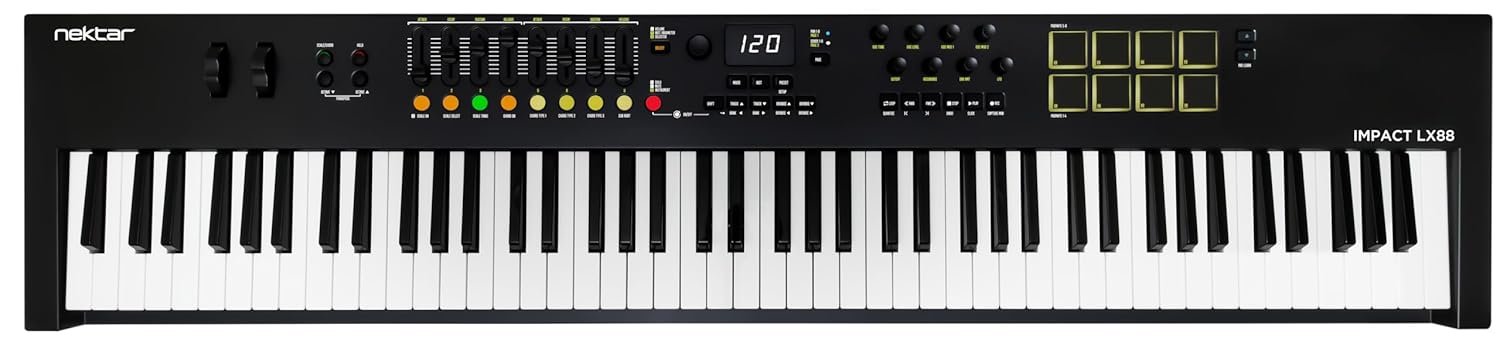
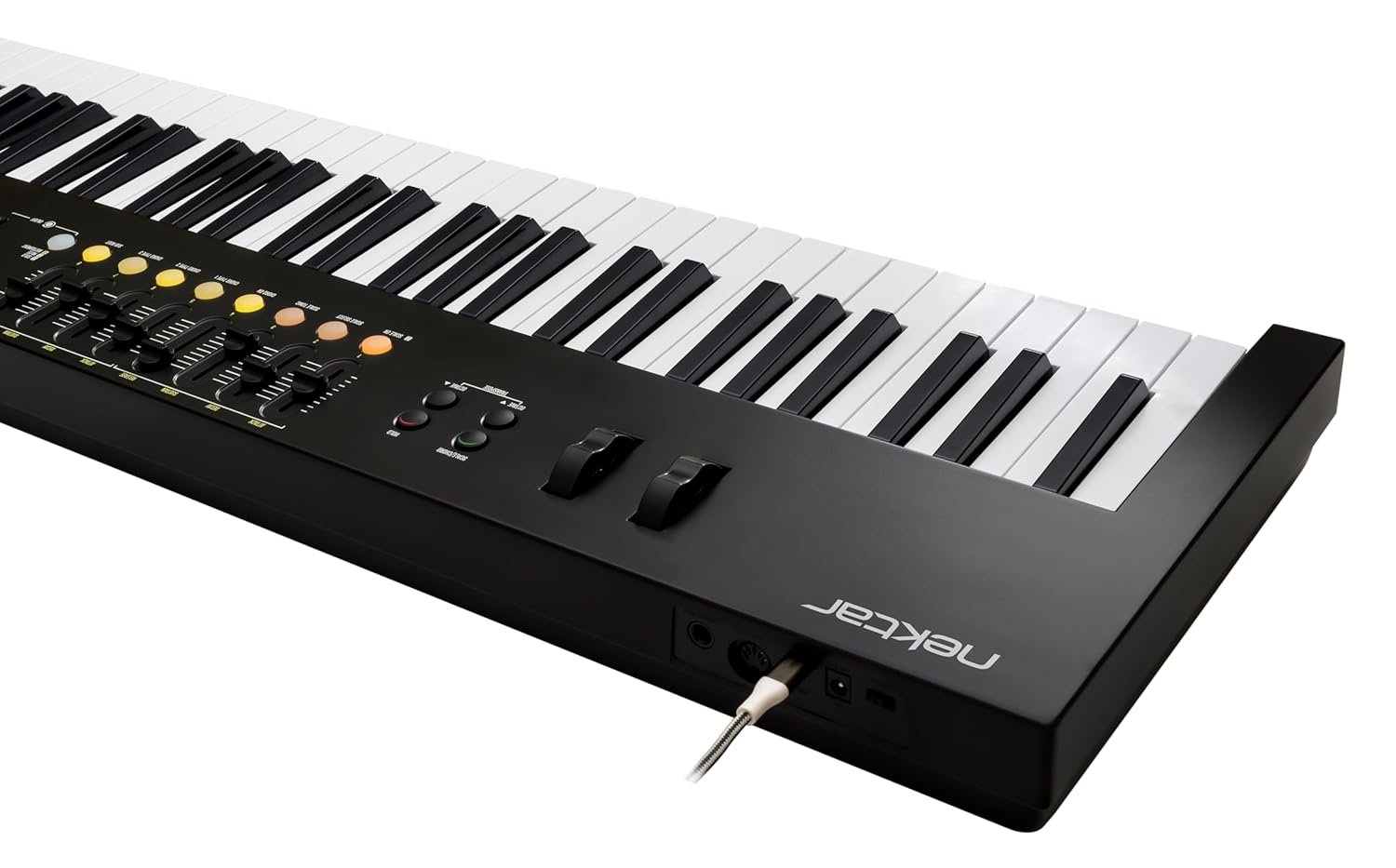
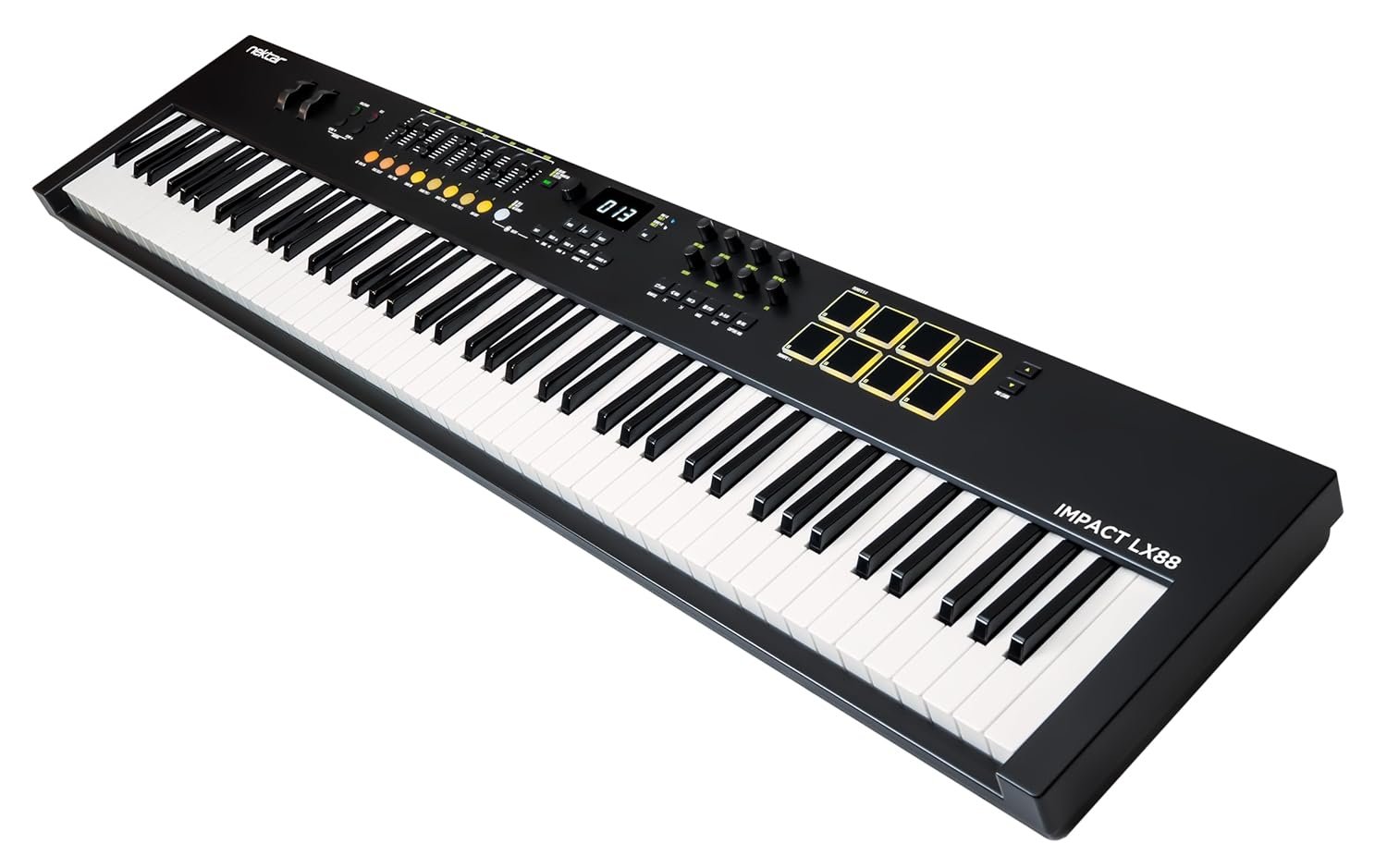
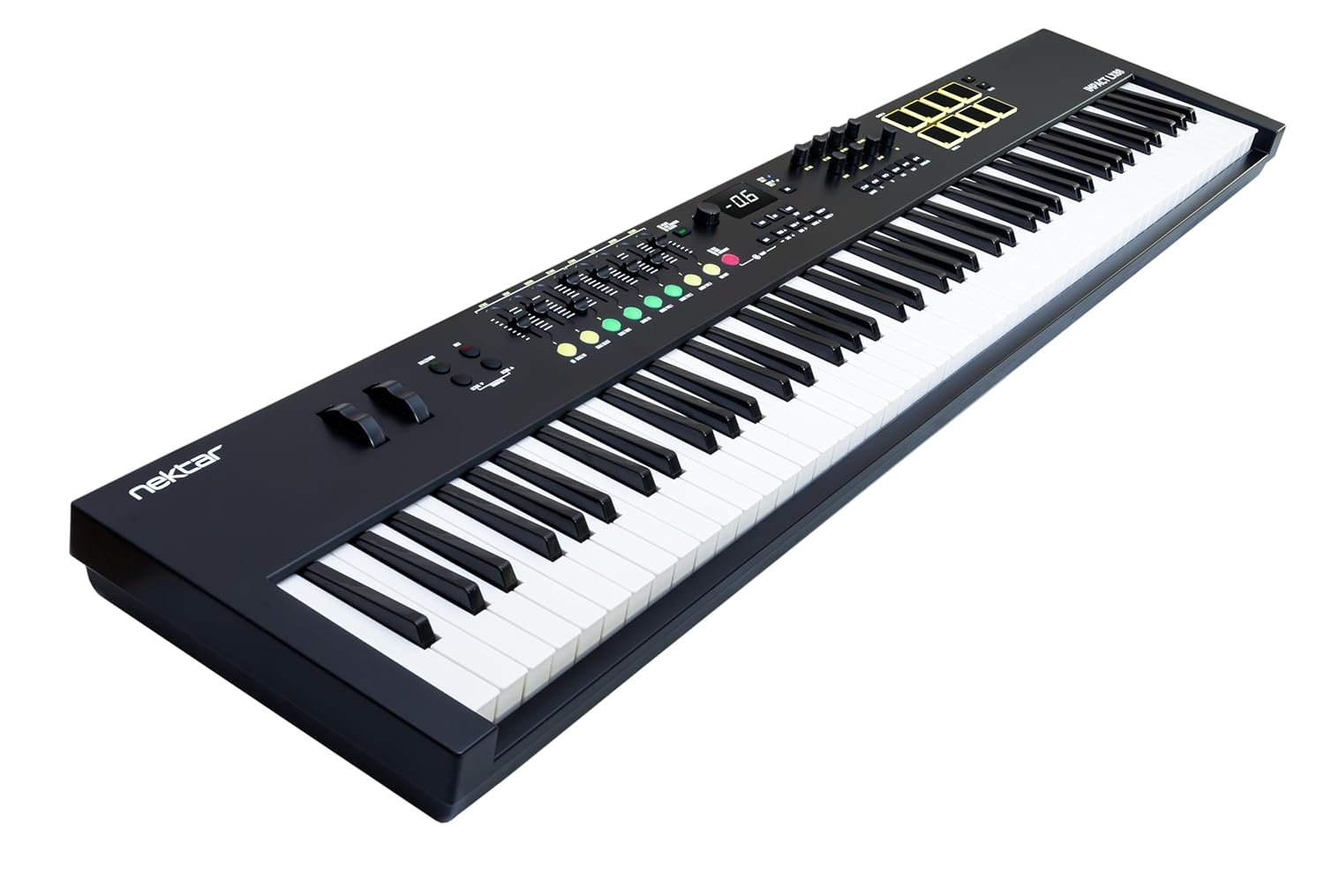
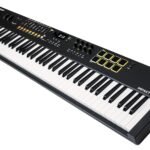
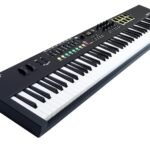
Experience unparalleled control and expressive performance with the Nektar Impact LX88 Mk3, featuring 88 synth-action keys designed for professional-level playability. Its velocity-sensitive drum pads and intuitive faders offer precise real-time adjustments, while USB connectivity ensures seamless integration with your setup. Discover how this versatile MIDI controller can elevate your music production to new heights.

Original price was: ₹35,500.Current price is: ₹31,990.

In stock

Estimated delivery dates: Apr 15, 2026 - Apr 19, 2026

In stock

Q: Will the Nektar Impact LX88 Mk3 work with my DAW (Ableton Live, Logic Pro, FL Studio) and my Mac/Windows/i Pad?
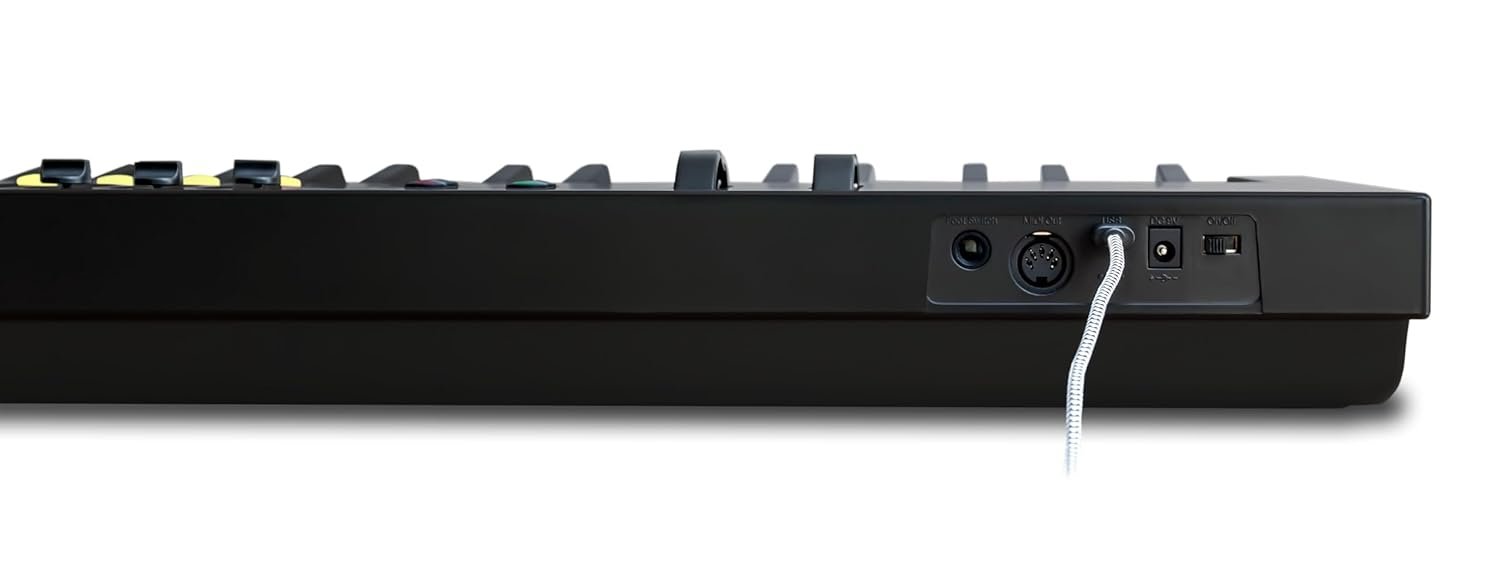
A: Yes. The Impact LX88 Mk3 uses standard USB MIDI so it will work with Mac and Windows DAWs like Ableton Live, Logic Pro, FL Studio, Cubase and most others — just select it as your MIDI input in the DAW’s preferences. For i Pad use you’ll need the appropriate USB-C/Camera-Connection adapter or compatible hub. For deeper, hands-on control check Nektar’s website for DAW templates and firmware updates that enable automatic mapping and display feedback in supported hosts.

Q: What comes in the box with the Nektar Impact LX88 Mk3?
A: The package includes the Nektar Impact LX88 Mk3 controller plus essential accessories (typically a USB cable and a quick-start guide). Exact contents can vary by retailer, so check the product listing or ask the seller if you need confirmation of additional items or bundled software.

Q: Is the Impact LX88 Mk3 a full-size 88-key keyboard and will it fit my stand or desk?
A: Yes — the LX88 Mk3 has 88 full-size synth-action keys (full-length keyboard width like a standard 88-key piano). Because it’s a full-size controller, make sure your keyboard stand or desk supports an 88-key instrument; if you need exact width/weight measurements, refer to the manufacturer specification sheet or the retailer’s technical details before purchase.

Q: How do I set up the faders, encoders and velocity-sensitive pads to control my DAW?
A: Plug the LX88 Mk3 into your computer via USB (it’s USB bus-powered), open your DAW and enable the Nektar device in MIDI/controller settings. Use your DAW’s MIDI Learn to assign faders/encoders/pads to parameters, or install Nektar DAW templates for automatic mappings where available. Use the controller’s display feedback to confirm assignments, adjust velocity curves in your DAW or the controller settings for sensitivity, and keep firmware updated for best compatibility.

Q: How should I clean and care for the Nektar Impact LX88 Mk3 to keep it working well?
A: Unplug the controller before cleaning. Wipe keys, pads and the case with a soft, dry microfiber cloth; for tougher grime use a lightly damp cloth with mild soap (never spray liquids directly onto the unit). Avoid harsh chemicals, excessive moisture, direct sunlight and high humidity. Cover it when not in use and store on a stable stand or flat surface to protect faders and encoders.

Q: What should I expect for shipping, packaging and delivery of this MIDI controller?
A: Shipping times and options depend on the retailer and carrier; most sellers provide order confirmation and tracking once the item ships. The LX88 Mk3 is shipped in protective packaging to prevent transit damage — if you have delivery speed, insurance, or international duties concerns, check the retailer’s shipping policy before purchase and inspect the package on arrival for visible damage so you can report issues promptly.

Will the Nektar Impact LX88 Mk3 MIDI controller work with my DAW like Ableton Live, Logic Pro, or FL Studio on Mac or Windows?

Yes, the Impact LX88 Mk3 uses standard USB MIDI protocol and is compatible with Mac and Windows DAWs including Ableton Live, Logic Pro, FL Studio, and more. Simply connect via USB and select it as your MIDI input in your DAW preferences. For enhanced control, you can download Nektar’s DAW templates and firmware updates from their website.

Does the Nektar Impact LX88 Mk3 come with all cables and software I need to start playing right away?

The package typically includes the Impact LX88 Mk3 controller, a USB cable, and a quick-start guide. Software bundles or additional accessories may vary by retailer, so check the product listing or contact the seller if you want confirmation about included software or extras.

Is the keyboard full size and will it fit on my existing keyboard stand or desk?

Yes, the Impact LX88 Mk3 features 88 full-size synth-action keys, matching the width of a standard 88-key piano. Before purchasing, ensure your keyboard stand or desk can accommodate a full-size 88-key controller by checking the exact width and weight in the manufacturer’s specifications.

How do I assign the faders, encoders, and velocity-sensitive pads to control parameters in my DAW?

Connect the LX88 Mk3 to your computer via USB, open your DAW, and enable the device in MIDI/controller settings. Use your DAW’s MIDI Learn function to map faders, encoders, and pads, or install Nektar’s pre-made DAW templates for automatic mapping. The controller’s display feedback helps confirm assignments, and you can adjust velocity sensitivity through your DAW or the controller’s settings.

What is the best way to clean and maintain the Nektar Impact LX88 Mk3 to keep it functioning properly?

Always unplug the controller before cleaning. Wipe the keys, pads, and surface with a soft, dry microfiber cloth. For stubborn dirt, use a lightly damp cloth with mild soap—never spray liquids directly on the unit. Avoid harsh chemicals, excessive moisture, direct sunlight, and store it covered on a stable surface when not in use to protect controls.

What should I expect regarding shipping, packaging, and delivery when ordering the Nektar Impact LX88 Mk3?

Shipping times and options depend on the retailer and carrier, with most providing tracking information after dispatch. The LX88 Mk3 is securely packaged to prevent damage during transit. For concerns about delivery speed, insurance, or international duties, review the retailer’s shipping policy before purchase and inspect the package upon arrival for any visible damage.

Will the Nektar Impact LX88 Mk3 MIDI controller work with my DAW like Ableton Live, Logic Pro, or FL Studio on Mac or Windows?

Yes, the Impact LX88 Mk3 uses standard USB MIDI protocol and is compatible with Mac and Windows DAWs including Ableton Live, Logic Pro, FL Studio, and more. Simply connect via USB and select it as your MIDI input in your DAW preferences. For enhanced control, you can download Nektar’s DAW templates and firmware updates from their website.

Does the Nektar Impact LX88 Mk3 come with all cables and software I need to start playing right away?

The package typically includes the Impact LX88 Mk3 controller, a USB cable, and a quick-start guide. Software bundles or additional accessories may vary by retailer, so check the product listing or contact the seller if you want confirmation about included software or extras.

Is the keyboard full size and will it fit on my existing keyboard stand or desk?

Yes, the Impact LX88 Mk3 features 88 full-size synth-action keys, matching the width of a standard 88-key piano. Before purchasing, ensure your keyboard stand or desk can accommodate a full-size 88-key controller by checking the exact width and weight in the manufacturer’s specifications.

How do I assign the faders, encoders, and velocity-sensitive pads to control parameters in my DAW?

Connect the LX88 Mk3 to your computer via USB, open your DAW, and enable the device in MIDI/controller settings. Use your DAW’s MIDI Learn function to map faders, encoders, and pads, or install Nektar’s pre-made DAW templates for automatic mapping. The controller’s display feedback helps confirm assignments, and you can adjust velocity sensitivity through your DAW or the controller’s settings.

What is the best way to clean and maintain the Nektar Impact LX88 Mk3 to keep it functioning properly?

Always unplug the controller before cleaning. Wipe the keys, pads, and surface with a soft, dry microfiber cloth. For stubborn dirt, use a lightly damp cloth with mild soap—never spray liquids directly on the unit. Avoid harsh chemicals, excessive moisture, direct sunlight, and store it covered on a stable surface when not in use to protect controls.

What should I expect regarding shipping, packaging, and delivery when ordering the Nektar Impact LX88 Mk3?

Shipping times and options depend on the retailer and carrier, with most providing tracking information after dispatch. The LX88 Mk3 is securely packaged to prevent damage during transit. For concerns about delivery speed, insurance, or international duties, review the retailer’s shipping policy before purchase and inspect the package upon arrival for any visible damage.

Will the Nektar Impact LX88 Mk3 MIDI controller work with my DAW like Ableton Live, Logic Pro, or FL Studio on Mac or Windows?

Yes, the Impact LX88 Mk3 uses standard USB MIDI protocol and is compatible with Mac and Windows DAWs including Ableton Live, Logic Pro, FL Studio, and more. Simply connect via USB and select it as your MIDI input in your DAW preferences. For enhanced control, you can download Nektar’s DAW templates and firmware updates from their website.

Does the Nektar Impact LX88 Mk3 come with all cables and software I need to start playing right away?

The package typically includes the Impact LX88 Mk3 controller, a USB cable, and a quick-start guide. Software bundles or additional accessories may vary by retailer, so check the product listing or contact the seller if you want confirmation about included software or extras.

Is the keyboard full size and will it fit on my existing keyboard stand or desk?

Yes, the Impact LX88 Mk3 features 88 full-size synth-action keys, matching the width of a standard 88-key piano. Before purchasing, ensure your keyboard stand or desk can accommodate a full-size 88-key controller by checking the exact width and weight in the manufacturer’s specifications.

How do I assign the faders, encoders, and velocity-sensitive pads to control parameters in my DAW?

Connect the LX88 Mk3 to your computer via USB, open your DAW, and enable the device in MIDI/controller settings. Use your DAW’s MIDI Learn function to map faders, encoders, and pads, or install Nektar’s pre-made DAW templates for automatic mapping. The controller’s display feedback helps confirm assignments, and you can adjust velocity sensitivity through your DAW or the controller’s settings.

What is the best way to clean and maintain the Nektar Impact LX88 Mk3 to keep it functioning properly?

Always unplug the controller before cleaning. Wipe the keys, pads, and surface with a soft, dry microfiber cloth. For stubborn dirt, use a lightly damp cloth with mild soap—never spray liquids directly on the unit. Avoid harsh chemicals, excessive moisture, direct sunlight, and store it covered on a stable surface when not in use to protect controls.

What should I expect regarding shipping, packaging, and delivery when ordering the Nektar Impact LX88 Mk3?

Shipping times and options depend on the retailer and carrier, with most providing tracking information after dispatch. The LX88 Mk3 is securely packaged to prevent damage during transit. For concerns about delivery speed, insurance, or international duties, review the retailer’s shipping policy before purchase and inspect the package upon arrival for any visible damage.

Will the Nektar Impact LX88 Mk3 MIDI controller work with my DAW like Ableton Live, Logic Pro, or FL Studio on Mac or Windows?

Yes, the Impact LX88 Mk3 uses standard USB MIDI protocol and is compatible with Mac and Windows DAWs including Ableton Live, Logic Pro, FL Studio, and more. Simply connect via USB and select it as your MIDI input in your DAW preferences. For enhanced control, you can download Nektar’s DAW templates and firmware updates from their website.

Does the Nektar Impact LX88 Mk3 come with all cables and software I need to start playing right away?

The package typically includes the Impact LX88 Mk3 controller, a USB cable, and a quick-start guide. Software bundles or additional accessories may vary by retailer, so check the product listing or contact the seller if you want confirmation about included software or extras.

Is the keyboard full size and will it fit on my existing keyboard stand or desk?

Yes, the Impact LX88 Mk3 features 88 full-size synth-action keys, matching the width of a standard 88-key piano. Before purchasing, ensure your keyboard stand or desk can accommodate a full-size 88-key controller by checking the exact width and weight in the manufacturer’s specifications.

How do I assign the faders, encoders, and velocity-sensitive pads to control parameters in my DAW?

Connect the LX88 Mk3 to your computer via USB, open your DAW, and enable the device in MIDI/controller settings. Use your DAW’s MIDI Learn function to map faders, encoders, and pads, or install Nektar’s pre-made DAW templates for automatic mapping. The controller’s display feedback helps confirm assignments, and you can adjust velocity sensitivity through your DAW or the controller’s settings.

What is the best way to clean and maintain the Nektar Impact LX88 Mk3 to keep it functioning properly?

Always unplug the controller before cleaning. Wipe the keys, pads, and surface with a soft, dry microfiber cloth. For stubborn dirt, use a lightly damp cloth with mild soap—never spray liquids directly on the unit. Avoid harsh chemicals, excessive moisture, direct sunlight, and store it covered on a stable surface when not in use to protect controls.

What should I expect regarding shipping, packaging, and delivery when ordering the Nektar Impact LX88 Mk3?

Shipping times and options depend on the retailer and carrier, with most providing tracking information after dispatch. The LX88 Mk3 is securely packaged to prevent damage during transit. For concerns about delivery speed, insurance, or international duties, review the retailer’s shipping policy before purchase and inspect the package upon arrival for any visible damage.

Will the Nektar Impact LX88 Mk3 MIDI controller work with my DAW like Ableton Live, Logic Pro, or FL Studio on Mac or Windows?

Yes, the Impact LX88 Mk3 uses standard USB MIDI protocol and is compatible with Mac and Windows DAWs including Ableton Live, Logic Pro, FL Studio, and more. Simply connect via USB and select it as your MIDI input in your DAW preferences. For enhanced control, you can download Nektar’s DAW templates and firmware updates from their website.

Does the Nektar Impact LX88 Mk3 come with all cables and software I need to start playing right away?

The package typically includes the Impact LX88 Mk3 controller, a USB cable, and a quick-start guide. Software bundles or additional accessories may vary by retailer, so check the product listing or contact the seller if you want confirmation about included software or extras.

Is the keyboard full size and will it fit on my existing keyboard stand or desk?

Yes, the Impact LX88 Mk3 features 88 full-size synth-action keys, matching the width of a standard 88-key piano. Before purchasing, ensure your keyboard stand or desk can accommodate a full-size 88-key controller by checking the exact width and weight in the manufacturer’s specifications.

How do I assign the faders, encoders, and velocity-sensitive pads to control parameters in my DAW?

Connect the LX88 Mk3 to your computer via USB, open your DAW, and enable the device in MIDI/controller settings. Use your DAW’s MIDI Learn function to map faders, encoders, and pads, or install Nektar’s pre-made DAW templates for automatic mapping. The controller’s display feedback helps confirm assignments, and you can adjust velocity sensitivity through your DAW or the controller’s settings.

What is the best way to clean and maintain the Nektar Impact LX88 Mk3 to keep it functioning properly?

Always unplug the controller before cleaning. Wipe the keys, pads, and surface with a soft, dry microfiber cloth. For stubborn dirt, use a lightly damp cloth with mild soap—never spray liquids directly on the unit. Avoid harsh chemicals, excessive moisture, direct sunlight, and store it covered on a stable surface when not in use to protect controls.

What should I expect regarding shipping, packaging, and delivery when ordering the Nektar Impact LX88 Mk3?

Shipping times and options depend on the retailer and carrier, with most providing tracking information after dispatch. The LX88 Mk3 is securely packaged to prevent damage during transit. For concerns about delivery speed, insurance, or international duties, review the retailer’s shipping policy before purchase and inspect the package upon arrival for any visible damage.

Will the Nektar Impact LX88 Mk3 MIDI controller work with my DAW like Ableton Live, Logic Pro, or FL Studio on Mac or Windows?

Yes, the Impact LX88 Mk3 uses standard USB MIDI protocol and is compatible with Mac and Windows DAWs including Ableton Live, Logic Pro, FL Studio, and more. Simply connect via USB and select it as your MIDI input in your DAW preferences. For enhanced control, you can download Nektar’s DAW templates and firmware updates from their website.

Does the Nektar Impact LX88 Mk3 come with all cables and software I need to start playing right away?

The package typically includes the Impact LX88 Mk3 controller, a USB cable, and a quick-start guide. Software bundles or additional accessories may vary by retailer, so check the product listing or contact the seller if you want confirmation about included software or extras.

Is the keyboard full size and will it fit on my existing keyboard stand or desk?

Yes, the Impact LX88 Mk3 features 88 full-size synth-action keys, matching the width of a standard 88-key piano. Before purchasing, ensure your keyboard stand or desk can accommodate a full-size 88-key controller by checking the exact width and weight in the manufacturer’s specifications.

How do I assign the faders, encoders, and velocity-sensitive pads to control parameters in my DAW?

Connect the LX88 Mk3 to your computer via USB, open your DAW, and enable the device in MIDI/controller settings. Use your DAW’s MIDI Learn function to map faders, encoders, and pads, or install Nektar’s pre-made DAW templates for automatic mapping. The controller’s display feedback helps confirm assignments, and you can adjust velocity sensitivity through your DAW or the controller’s settings.

What is the best way to clean and maintain the Nektar Impact LX88 Mk3 to keep it functioning properly?

Always unplug the controller before cleaning. Wipe the keys, pads, and surface with a soft, dry microfiber cloth. For stubborn dirt, use a lightly damp cloth with mild soap—never spray liquids directly on the unit. Avoid harsh chemicals, excessive moisture, direct sunlight, and store it covered on a stable surface when not in use to protect controls.

What should I expect regarding shipping, packaging, and delivery when ordering the Nektar Impact LX88 Mk3?

Shipping times and options depend on the retailer and carrier, with most providing tracking information after dispatch. The LX88 Mk3 is securely packaged to prevent damage during transit. For concerns about delivery speed, insurance, or international duties, review the retailer’s shipping policy before purchase and inspect the package upon arrival for any visible damage.

Will the Nektar Impact LX88 Mk3 MIDI controller work with my DAW like Ableton Live, Logic Pro, or FL Studio on Mac or Windows?

Yes, the Impact LX88 Mk3 uses standard USB MIDI protocol and is compatible with Mac and Windows DAWs including Ableton Live, Logic Pro, FL Studio, and more. Simply connect via USB and select it as your MIDI input in your DAW preferences. For enhanced control, you can download Nektar’s DAW templates and firmware updates from their website.

Does the Nektar Impact LX88 Mk3 come with all cables and software I need to start playing right away?

The package typically includes the Impact LX88 Mk3 controller, a USB cable, and a quick-start guide. Software bundles or additional accessories may vary by retailer, so check the product listing or contact the seller if you want confirmation about included software or extras.

Is the keyboard full size and will it fit on my existing keyboard stand or desk?

Yes, the Impact LX88 Mk3 features 88 full-size synth-action keys, matching the width of a standard 88-key piano. Before purchasing, ensure your keyboard stand or desk can accommodate a full-size 88-key controller by checking the exact width and weight in the manufacturer’s specifications.

How do I assign the faders, encoders, and velocity-sensitive pads to control parameters in my DAW?

Connect the LX88 Mk3 to your computer via USB, open your DAW, and enable the device in MIDI/controller settings. Use your DAW’s MIDI Learn function to map faders, encoders, and pads, or install Nektar’s pre-made DAW templates for automatic mapping. The controller’s display feedback helps confirm assignments, and you can adjust velocity sensitivity through your DAW or the controller’s settings.

What is the best way to clean and maintain the Nektar Impact LX88 Mk3 to keep it functioning properly?

Always unplug the controller before cleaning. Wipe the keys, pads, and surface with a soft, dry microfiber cloth. For stubborn dirt, use a lightly damp cloth with mild soap—never spray liquids directly on the unit. Avoid harsh chemicals, excessive moisture, direct sunlight, and store it covered on a stable surface when not in use to protect controls.

What should I expect regarding shipping, packaging, and delivery when ordering the Nektar Impact LX88 Mk3?

Shipping times and options depend on the retailer and carrier, with most providing tracking information after dispatch. The LX88 Mk3 is securely packaged to prevent damage during transit. For concerns about delivery speed, insurance, or international duties, review the retailer’s shipping policy before purchase and inspect the package upon arrival for any visible damage.

Will the Nektar Impact LX88 Mk3 MIDI controller work with my DAW like Ableton Live, Logic Pro, or FL Studio on Mac or Windows?

Yes, the Impact LX88 Mk3 uses standard USB MIDI protocol and is compatible with Mac and Windows DAWs including Ableton Live, Logic Pro, FL Studio, and more. Simply connect via USB and select it as your MIDI input in your DAW preferences. For enhanced control, you can download Nektar’s DAW templates and firmware updates from their website.

Does the Nektar Impact LX88 Mk3 come with all cables and software I need to start playing right away?

The package typically includes the Impact LX88 Mk3 controller, a USB cable, and a quick-start guide. Software bundles or additional accessories may vary by retailer, so check the product listing or contact the seller if you want confirmation about included software or extras.

Is the keyboard full size and will it fit on my existing keyboard stand or desk?

Yes, the Impact LX88 Mk3 features 88 full-size synth-action keys, matching the width of a standard 88-key piano. Before purchasing, ensure your keyboard stand or desk can accommodate a full-size 88-key controller by checking the exact width and weight in the manufacturer’s specifications.

How do I assign the faders, encoders, and velocity-sensitive pads to control parameters in my DAW?

Connect the LX88 Mk3 to your computer via USB, open your DAW, and enable the device in MIDI/controller settings. Use your DAW’s MIDI Learn function to map faders, encoders, and pads, or install Nektar’s pre-made DAW templates for automatic mapping. The controller’s display feedback helps confirm assignments, and you can adjust velocity sensitivity through your DAW or the controller’s settings.

What is the best way to clean and maintain the Nektar Impact LX88 Mk3 to keep it functioning properly?

Always unplug the controller before cleaning. Wipe the keys, pads, and surface with a soft, dry microfiber cloth. For stubborn dirt, use a lightly damp cloth with mild soap—never spray liquids directly on the unit. Avoid harsh chemicals, excessive moisture, direct sunlight, and store it covered on a stable surface when not in use to protect controls.

What should I expect regarding shipping, packaging, and delivery when ordering the Nektar Impact LX88 Mk3?

Shipping times and options depend on the retailer and carrier, with most providing tracking information after dispatch. The LX88 Mk3 is securely packaged to prevent damage during transit. For concerns about delivery speed, insurance, or international duties, review the retailer’s shipping policy before purchase and inspect the package upon arrival for any visible damage.

Tags: , ,
Brand

Nektar

Number of Keys

88

Connectivity Technology

USB

Special Feature

Display feedback, Faders and Encoder, Synth action keys, Velocity Sensitive Drum Pad, Velocity Sensitive Key

Model Name

LX88