Product Description
₹16,500 Original price was: ₹16,500.₹14,850Current price is: ₹14,850.
In stock
| Compatible Devices | Windows PC, iOS Devices, Mac |
| Brand | Apogee |
| Hardware Interface | USB 2.0 |
| Audio Output Mode | Stereo |
| Platform | iOS, Mac |
| Weight | 0.223961 kg |
|---|---|
| Dimensions | 12.7 × 5.588 × 19.812 cm |
| Item Weight | 7.9 ounces |
| Product Dimensions | 5 x 2.2 x 7.8 inches |
| ASIN | B07GG18DVZ |
| Item model number | JAM PLUS |
| Is Discontinued By Manufacturer | No |
| Date First Available | August 14, 2018 |
| Compatible Devices | Windows PC, iOS Devices, Mac |
| Hardware Interface | USB 2.0 |
| Graphics Card Interface | Integrated |
| Hard Drive Interface | Firewire |
| Hard Drive Size | 1000 GB |
| Hardware Platform | Headphones, PC, Speakers |
| Operating System | Windows |
| Processor Brand | Apogee |
| Processor Speed | 128 MHz |
| Processor Type | 68328 |
| RAM Size | 4 GB |
| Manufacturer | Apogee |
Only logged in customers who have purchased this product may leave a review.
Jake –
Plugged it right into my keyboard and guitar and recorded straight to garageband. Excellent sound quality, and none of the superfluous clicking and picking you get trying to record from your iphone mic. Clean and professional.No XLR input, so you can’t record through a standard microphone, but you should know that already before you decide to buy.
bookgirl –
I bought this by accident! I fell asleep while waiting for reviews and ended up buying it with one-click sleep-shopping. I use it for recording my guitar on my wifes ipad. Very happy. It works great and it easy to use, just need to remember to plug in the unit AFTER you set up the song, which is different from the instructions. Would recommend for portable recording.
A. Shopper –
I purchased the Jam Plus to replace my Line6 SonicPort that was rendered non-functional with iOS13 and abandoned by the company. The Apogee is better in every way including support of PC. This was an unexpected surprise how great it works with Windows 10 (Surface). So instead of buying a device basically limited to a mobile software you can use this use on more platforms including iOS13, Mac/PC. No need to rehash the reviews of the is product but spend a few bucks more and get this over similar, limited products. I learned the lesson the hard way, wasting $ on lesser products.
Pookerella –
I like it better than IK MULTIMEDIA’s iRig since you don’t need their terrible, horrible app in order to use it. So that’s a huge plus. Other than that, very easy to use, but I am not getting the volume I need. I will say about iRig? That fully immersive feeling you get from iRig is wonderful. I feel part of the music; here with Apogee, not at all. Probably bad for your ears, though, Apogee saves your ears! All in all, if it was $100 cheaper, I would keep it but for $160, it’s not worth it. Maybe I’ll get the next version, hopefully the volume will be greatly improved.
Amazon Customer –
If you want to get surprised – try listening to something in your monitoring headphones using your laptop’s headphone output and then switch to Jam Plus – you’ll hear a huge difference, Apogee sounds way better.Love the ability to connect the card to anything I may want to – it has all the cables with it, so I can record my ideas anywhere using anything I have with me – iPhone, iPad or MacBook Pro.The only downside would be bundling an old Bias FX Lite software, which only allows you to imagine how cool would you sound if you bought an upgraded Bias FX 2 Pro or at least Standard.
Lee –
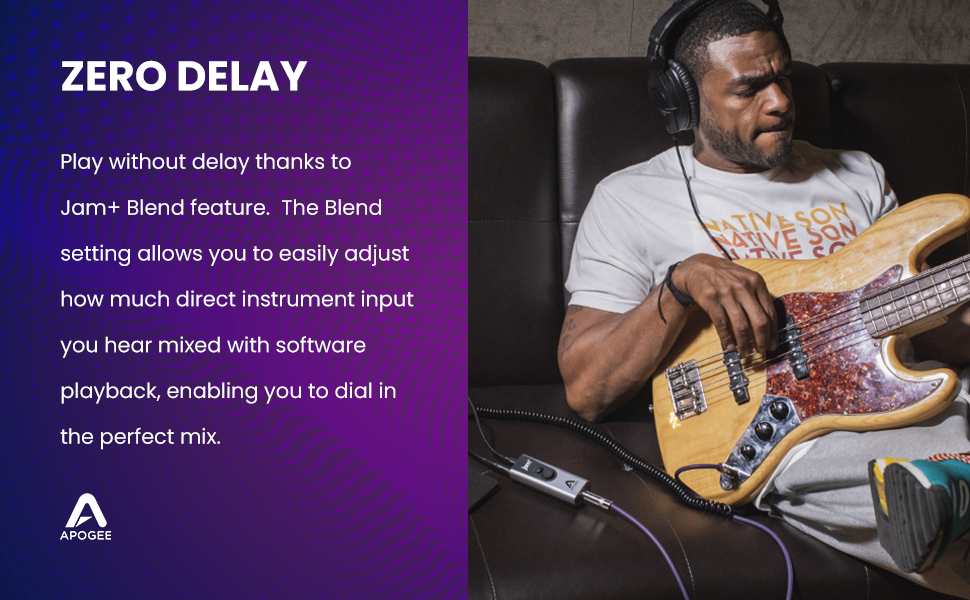
I am having a few volume challenges with the Jam+ using an electric bass on Windows 10 and Windows 11.Challenge 1: The instrument level indicator LEDs on the Jam+ don’t seem to function at all in Windows. The best I can obtain is a single green LED, even when my input signal is clipping the Jam+. The instrument input level LEDs work fine on my iPad. Support suggested I update the latest firmware of the Jam+ (from .20 to .23). I did this, but it did not change the behavior of the instrument input level LEDs (they work on my iPad, but not Windows).Chellenge 2: This could be related to Challenge 1, but I’m having difficulty obtaining good mix level of the music application and my instrument on Windows. The center white LED on the Jam+ indicates that “Blend” is on and the headphone mix is 50% from the music application and 50% from the instrument. But I have a difficult time hearing my instrument in the mix. I have been able to use the Windows Volume Mixer to achieve a balance that is better (usually by reducing the volume of my music app during playback), but that appears to only be a temporary solution. At some point the “Blend” function must be re-triggered which alters the mix balance. I wish the Jam+ would simply allow me to adjust the “Blend” to my own preference without re-setting.Apogee support has been responsive, but not helpful in resolving the issue. I will update this review should the situation change.
a –
This is so cool! I would highly recommend it
Alex E –
This interface is fantastic. I wanted something portable, small and easy to use. What’s great about the Jam Plus, is that I can use my “Tonebridge” app from Ultimate-Guitar, and play along to Apple Music at the same time. I just dial up a preset I like, and I’m playing to all my favorite songs simultaneously. I wanted to practice to songs rather than record, and this does it beautifully.
Kemper70 –
Perfekter Sound
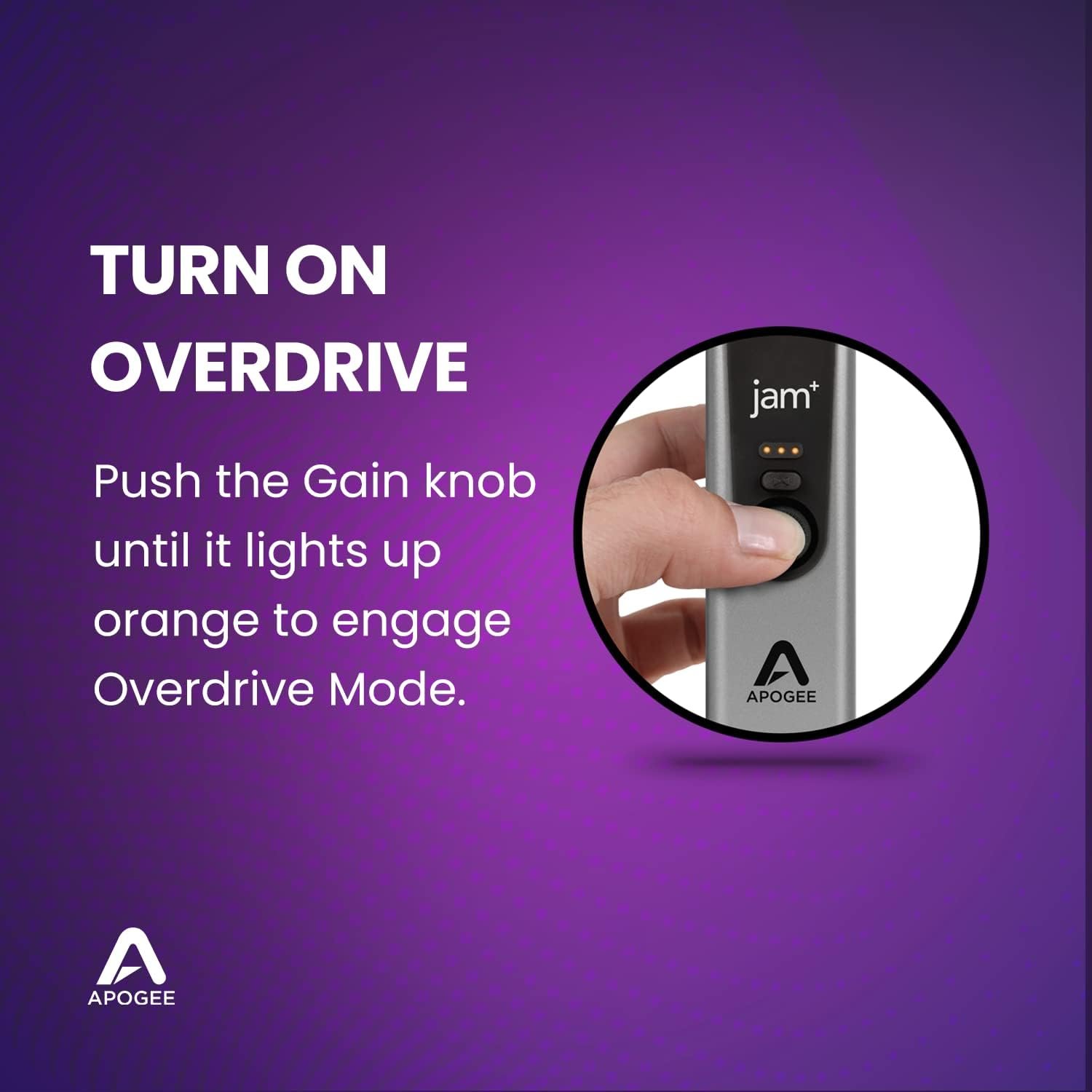
Ich habe über die letzten Jahre eine Reihe von Soundkarten ausprobiert, darunter der Vorgänger 96K und Focusrite. Nichts kann an den Sound dieses kompakten Moduls heranreichen. Das neue Gehäuse ist super stabil und griffig. Der Gain-Regler ist toll zu bedienen. Cool ist auch der neue Overdrive Modus. Ein tolles Feeling, wie bei einem Pedal. Entscheidend ist aber der super glasklare Sound. Kein Rauschen oder ähnliche Störgeräusche. Ich kann es ohne Einschränkungen empfehlen!
Julien –
Fonctionne bien sur l’iPad Pro 2018 (usb C)
Fonctionne parfaitement bien sur l’iPad Pro 2018 (usb C).Le son est impeccable, la fonction Gain élevé est très pratique.Petit défaut toutefois (en tout cas sur iPad Pro), le son de l’iPad est coupé dès qu’on branche le Jam+. On est donc obligé de passer par la sortie jack du Jam+ pour sortir le son. J’aurais apprécié pouvoir désactiver la sortie son du Jam+ via un bouton.Autre petit défaut, si on branche le Jam+ sur un hub USB, le Jam+ ne s’allume pas automatiquement lorsqu’on branche le hub à l’iPad. On est obligé de débrancher et rebrancher l’USB du Jam+ pour qu’il s’active.À part ces deux petits défaut, le Jam+ est excellent et je le recommande fortement.