


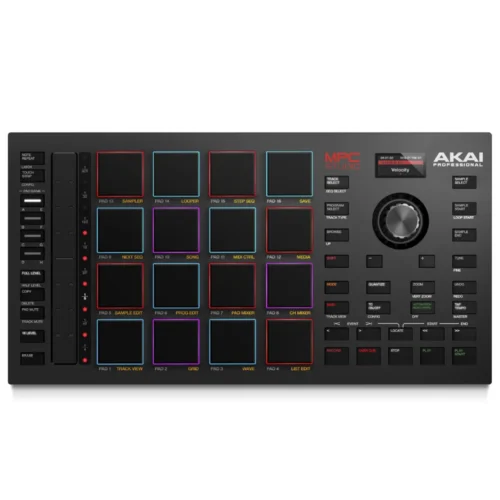
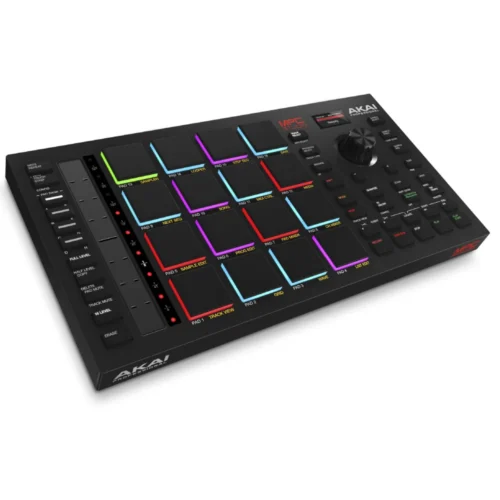
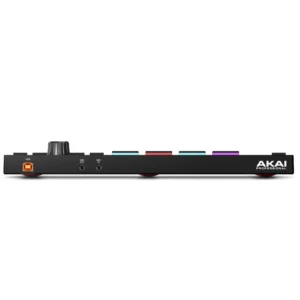
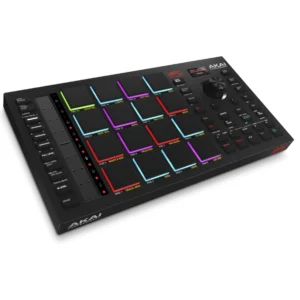


The full MPC workflow on your computer – 16 real MPC pads, touch strip and colour screen. The Akai MPC Studio 2 is a slim USB controller for the MPC 2 desktop software (included). It has 16 RGB MPC pads, an assignable touch strip and a full-colour screen, so you can make beats without staring at the computer.
Why customers choose it
- Real MPC pads: 16 velocity- and pressure-sensitive RGB pads with 8 banks.
- Assignable Touch Strip: 5.5-inch touch-capacitive strip with LEDs for swells, note rolls, filters and more.
- Colour screen: trim waveforms, browse plugins and adjust settings right on the hardware.
- Complete software: MPC 2 desktop software with AU/VST plugin support and 100+ instrument and effect plugins combined.
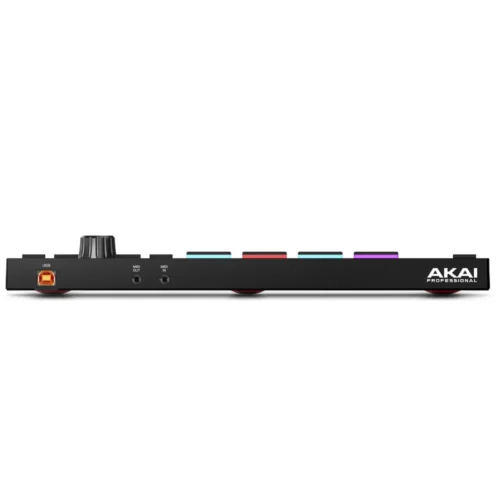
- Simple setup: USB-powered with 1/8″ MIDI in and out for external gear.
Who it is for
Beatmakers and producers who work on a computer, beginners learning the MPC workflow, and existing MPC users who want a compact controller for the desktop software.
Specifications
| Type | USB controller for MPC software |
|---|---|
| Pads | 16 velocity- and pressure-sensitive RGB pads, 8 banks |
| Touch strip | 5.5″ (140 mm) touch-capacitive, with LEDs |
| Encoder | 360° push encoder |
| Buttons | 39 LED-backlit |
| Display | Full-colour LCD |
| Connections | 1/8″ MIDI in, 1/8″ MIDI out, USB Type-B |
| Power | USB bus-powered |
| Dimensions | 305 x 171 x 37 mm |
| Weight | 0.83 kg |
Good to know
- Needs a computer running the included MPC 2 desktop software – it is not standalone.
- MIDI ports are 1/8″ (3.5 mm) jacks.
- Comes with exclusive sounds from Sample Tools by CR2, Rawcutz, F9, MSXII Sound Design and MVP Loops, per Akai.
FAQ
Is this a standalone MPC?
No. MPC Studio controls the MPC 2 software on your Mac or PC.
Does it need a power adapter?
No, it is powered over USB.





 Ask about this product
Reviews
There are no reviews yet.